Experiment Slot Machine Prototype 2
Slot machine prototype focused on spinning mechanics, reel synchronization, and clamping calculations for controlled stopping behavior.
- Slot Machine
- Spinning Mechanics
- Reel Logic
- Clamping System
- Animation Control
- Gameplay Systems
Welcome to the second version of the Slot Machine Prototype. This updated version introduces a more flexible and user-friendly approach to customizing slot machine settings and behaviors using scriptable objects.
Features Overview
Dynamic Settings via Scriptable Objects
Easily configure and modify the game's settings, graphics, and behaviors on-the-fly. New settings can be created with just a few clicks, allowing for rapid testing and iteration.
How to Create New Settings
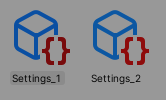
Right-click in the project window, navigate to Create, and select Settings to add a new settings profile.
Detailed Settings Tabs
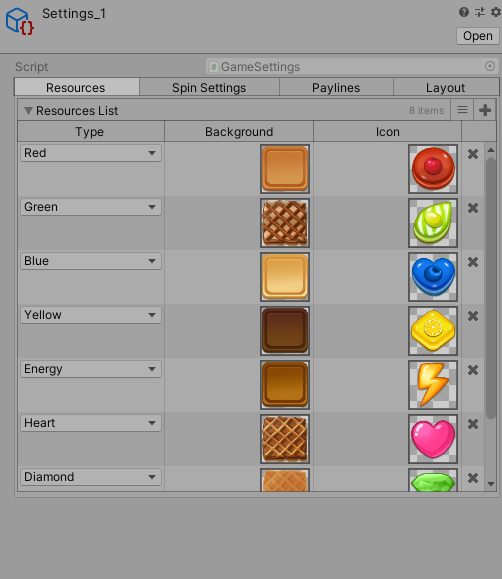
Resources
Define slot resources like type, background, and icons in the Resources tab.
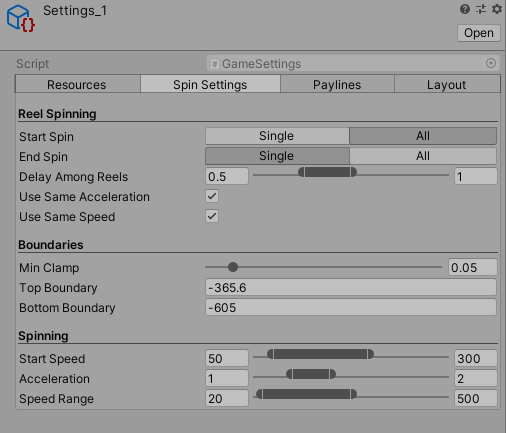
Spin Settings
Adjust the spinning behavior of the reels to achieve the desired animation and mechanics.
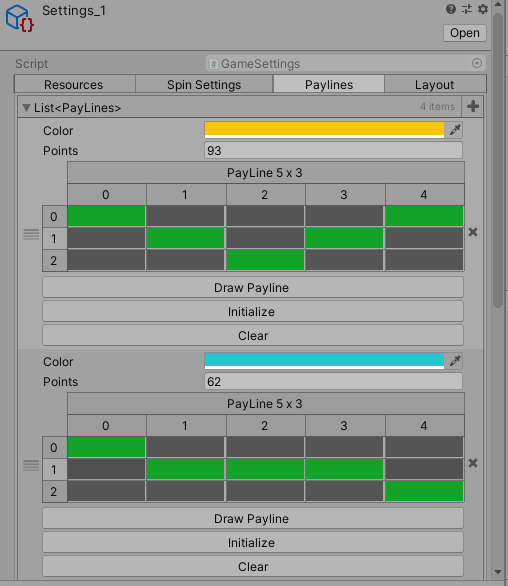
Paylines
Set up and customize paylines, draw them on the screen, and assign unique identity colors.
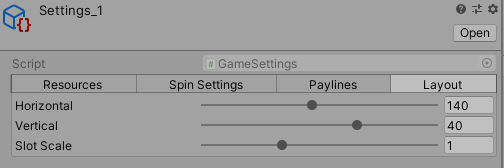
Layout
Control the slot machine layout by modifying slot scale and adjusting spacing along the vertical and horizontal axes.
How It Works
Spinning Mechanics
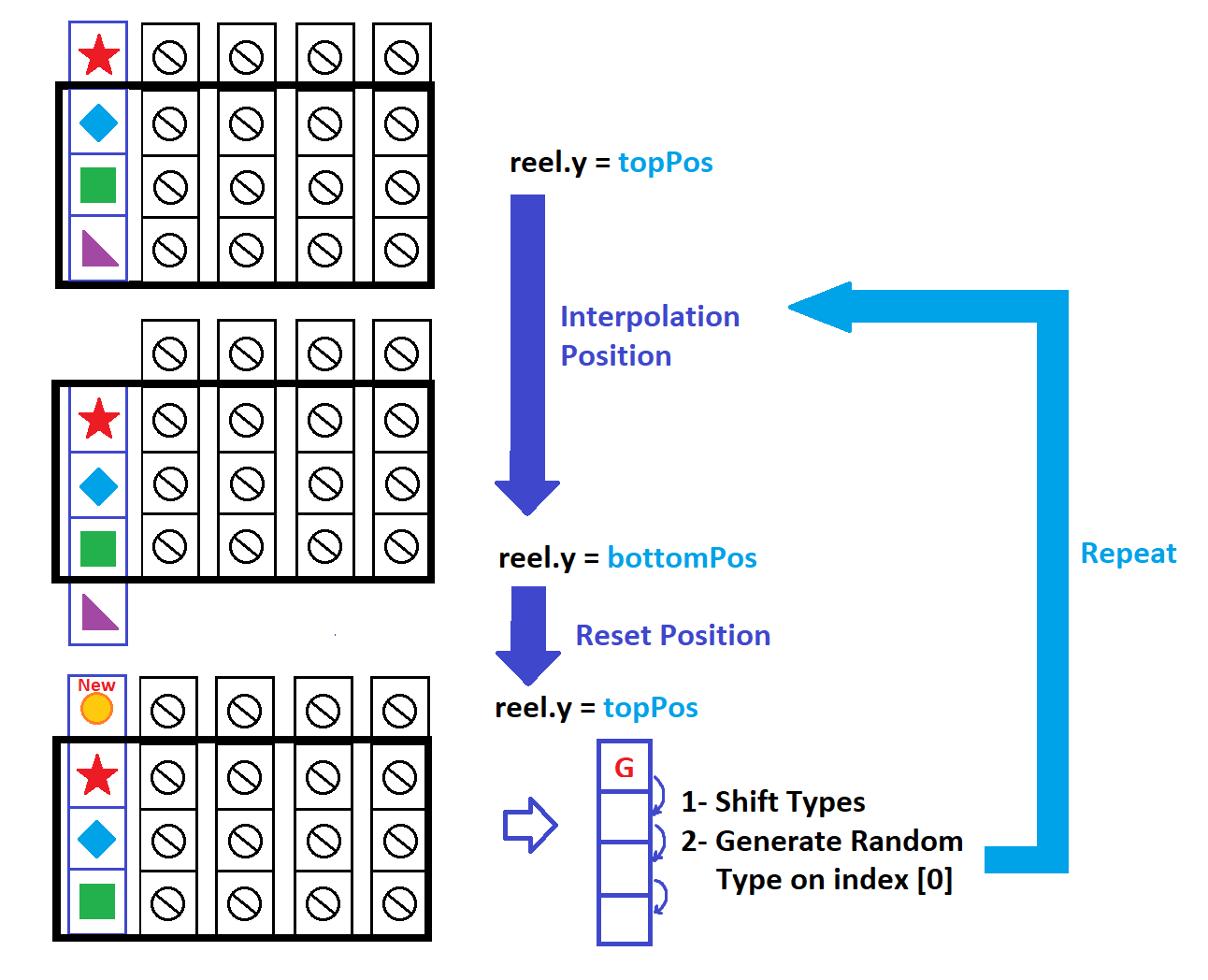
A novel approach was used in this prototype to make the spinning of reels smoother and more flexible. We translate the entire reel one step down and reset it to the starting position after refreshing the slots and generating new ones at the top, completing a full cycle.
Clamping
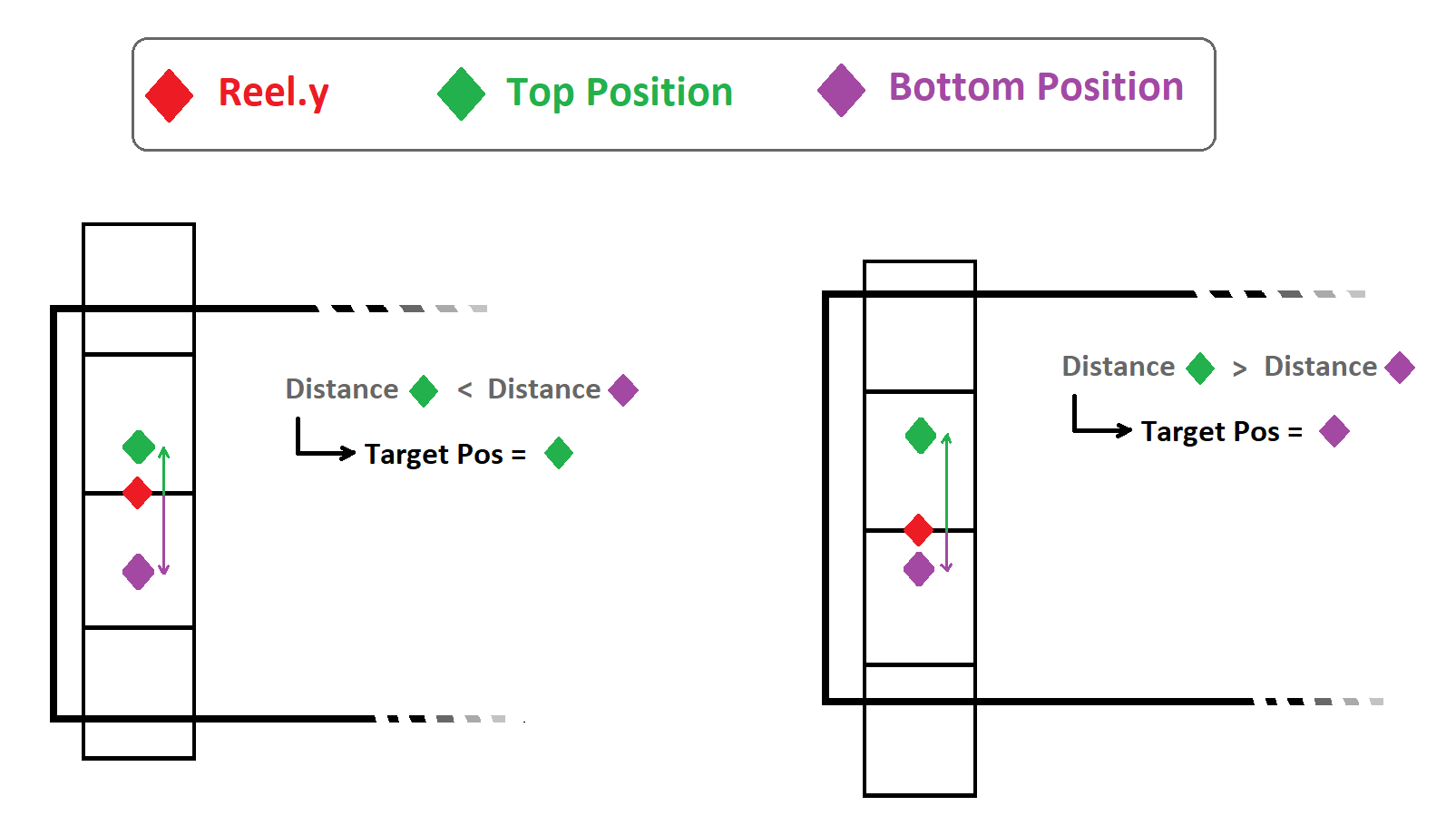
After the spin completes, the reel is clamped to the nearest position, ensuring alignment and readiness for the next spin.
Screenshots
Take a look at some in-game screenshots illustrating the user interface and various features:
1 / 4
Conclusion
SlotMachineV2 brings advanced customization capabilities to the realm of digital slot machines, providing a robust framework for creating and testing various slot machine configurations and visual styles. Dive into the settings, experiment with the options, and tailor the slot machine experience to fit your needs!