Stop losing the truth
A .deepsnap file outlives Play Mode, branch switches, and “I swear it was set that way.” Capture GameObjects, Prefabs, Components, and ScriptableObjects when they look right, then open them again tomorrow.

Capture. Compare. Understand.
Unity state disappears the moment you leave Play Mode, reload a scene, or refactor a Prefab. DeepSnap freezes the objects that matter into durable snapshots you can browse, examine, and compare whenever you need the truth.
Stop guessing what changed. DeepSnap turns fragile Inspector moments into files you can keep, share, and revisit.
A .deepsnap file outlives Play Mode, branch switches, and “I swear it was set that way.” Capture GameObjects, Prefabs, Components, and ScriptableObjects when they look right, then open them again tomorrow.
Serialization drift, missing references, and silent field changes are hard to spot in the Inspector. Examine a capture as a property tree or raw JSON, export it for a ticket, or ping the source asset when it still exists.
Before and after a refactor, compare two captures. DeepSnap highlights modified, added, and removed data so reviews stay about intent, not scrolling endless Inspectors.
Paste or import JSON in the JSON Editor, validate it, edit it like a form, and generate a Live Class Preview: starter C# that matches the shape of your data.
Live demo
Freeze a GameObject, Prefab, or ScriptableObject into a durable snapshot — then browse, compare, and come back to it later.
Features
Capture state, compare captures, and turn real JSON into models — without leaving Unity.
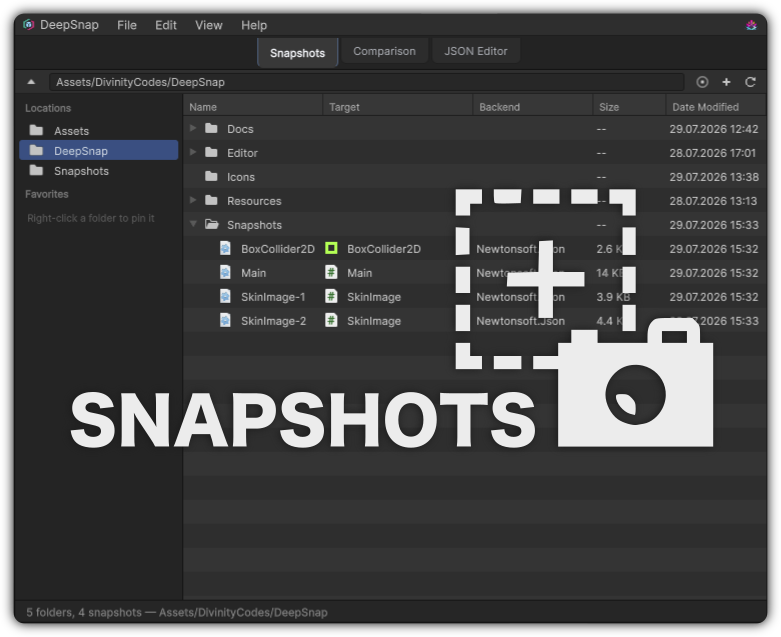
Grab a GameObject, Prefab, Component, or ScriptableObject and lock its state into a .deepsnap file before the Editor can erase it.
Snapshots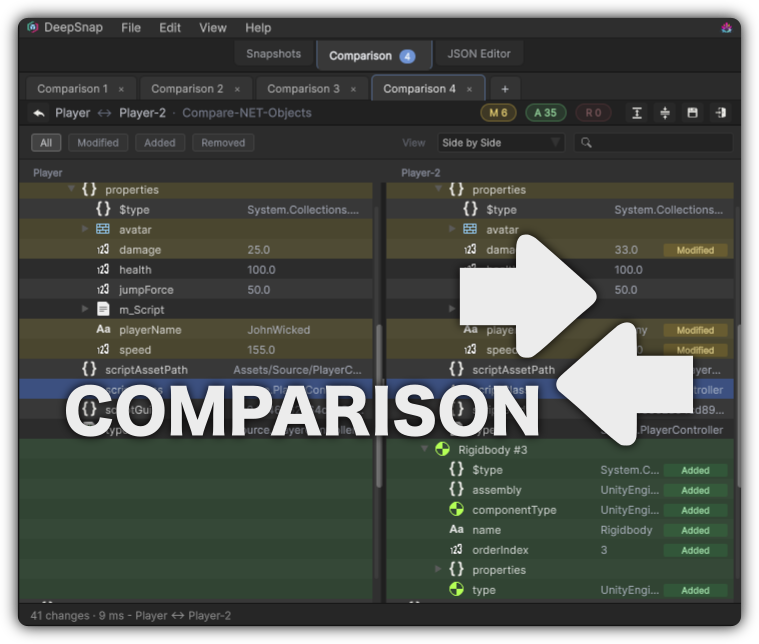
Run a before-and-after capture, then open a clear diff. See what was added, removed, or modified without scrolling two Inspectors side by side.
Comparison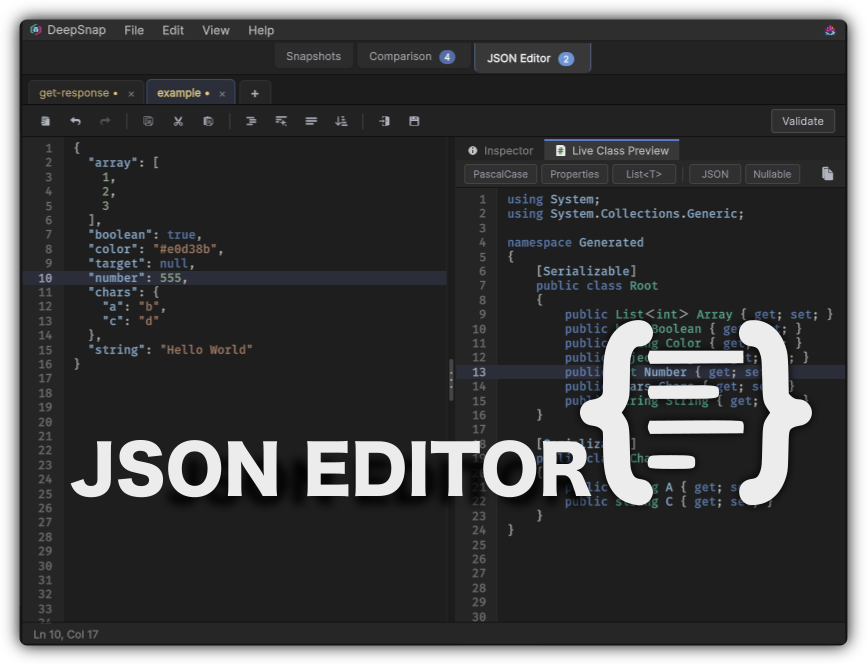
Edit JSON in a focused workspace, validate as you go, and turn samples into starter C# with Live Class Preview.
JSON EditorFirst capture
Capture once. Come back later with confidence — drag an object in, or create a snapshot from your current selection.
Freeze the objects that matter, compare with confidence, and keep evidence you can reopen tomorrow.