Blind Museum Guide With Beacons
An innovative app designed to assist blind and visually impaired visitors navigate through museums using beacon technology. By detecting nearby beacons, the app provides auditory information about exhibits, helping users independently explore cultural heritage.
- Beacon System
- Admin Tool
- Audio Triggers
- Indoor Navigation
- Accessibility
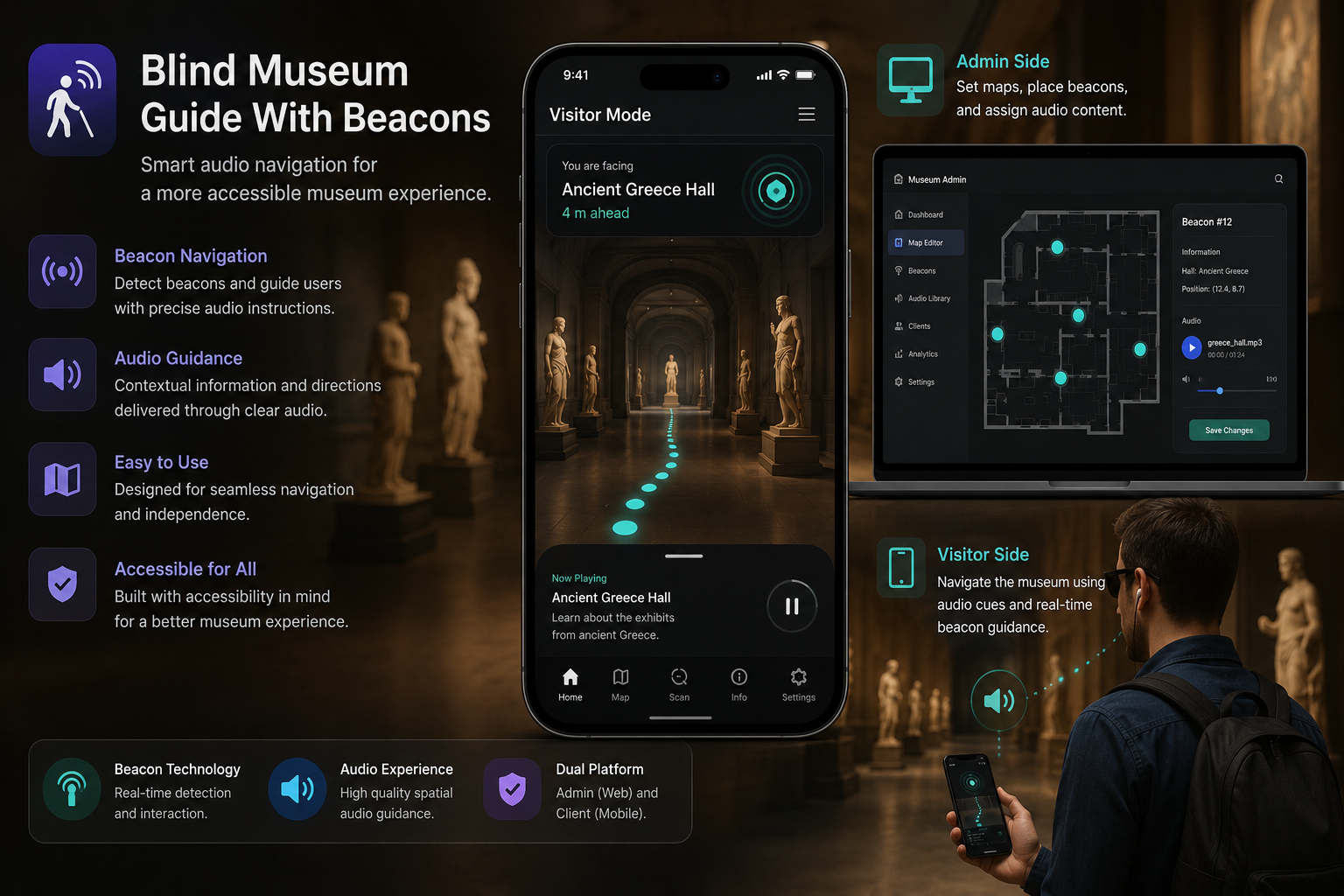
This project ships as two Unity applications: an admin tool for curators to place beacons and attach audio, and a client app for visitors. Use the tabs below to read each part in detail.
The admin application is an essential tool for managing the beacon technology used in the "أرشدني حضارتي" client app. It allows museum administrators to set up and modify beacons, ensuring that blind and visually impaired visitors receive accurate and helpful auditory information as they navigate the museum.
Features
- Beacon management: Add, configure, and edit beacon settings to adjust how they interact with the client app.
- Audio content management: Upload and manage audio files that are triggered by beacon detection to provide relevant information or descriptions.
- Map integration: View and interact with a map layout of the museum to accurately place and manage beacons.
How it works
Loading
When the admin app starts, it loads existing beacon configurations and settings, preparing the system for any updates or management tasks.
Map interface
The map interface allows administrators to view the physical layout of the museum. Beacons can be placed and visualized on this map to ensure accurate positioning.
1 / 2
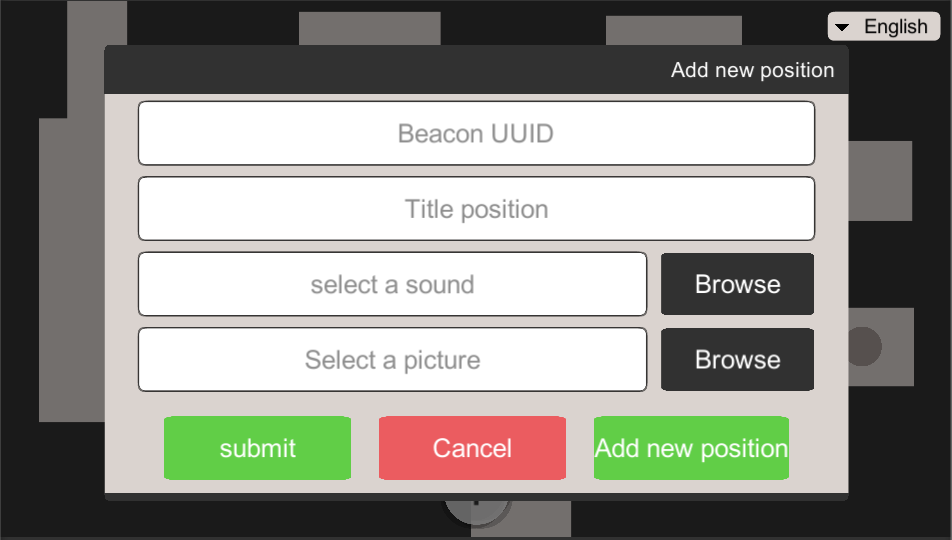
Adding new beacons
Administrators can add new beacons through a simple interface, specifying the beacon's location, associated audio, and other relevant settings.
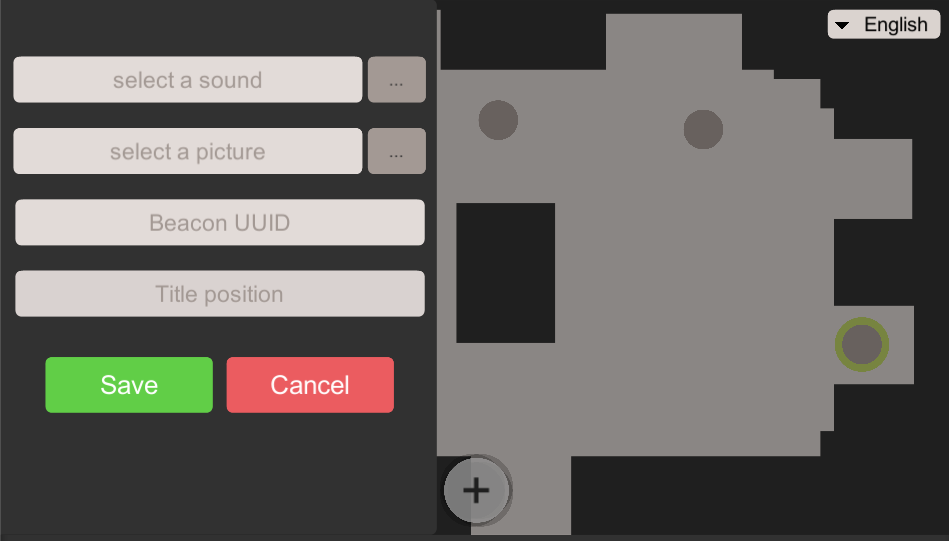
Editing existing beacons
Existing beacons can be edited to update their locations, settings, and associated audio content to reflect changes in the museum layout or exhibit information.
Conclusion
The admin app for "أرشدني حضارتي" streamlines the management of beacons and audio content, facilitating a dynamic and accessible museum experience for blind and visually impaired visitors. By enabling precise control over beacon placement and audio guides, this app ensures that all visitors have the opportunity to independently explore and enjoy museum exhibits.
This client app is designed for museum visitors. For managing beacons and creating audio content, please visit the Admin app repository.
Features
- Beacon navigation: Utilizes beacon technology to detect the user's location within the museum and triggers audio notifications.
- Audio descriptions: Offers detailed descriptions of museum exhibits and directions, enhancing the visitor experience for the blind and visually impaired.
- Multi-language support: Includes multiple language options to accommodate non-native speakers and tourists.
- TalkBack compatibility: Fully compatible with TalkBack to ensure smooth navigation and usage for visually impaired users.
Screenshots
1 / 3
How it works
Beacon detection
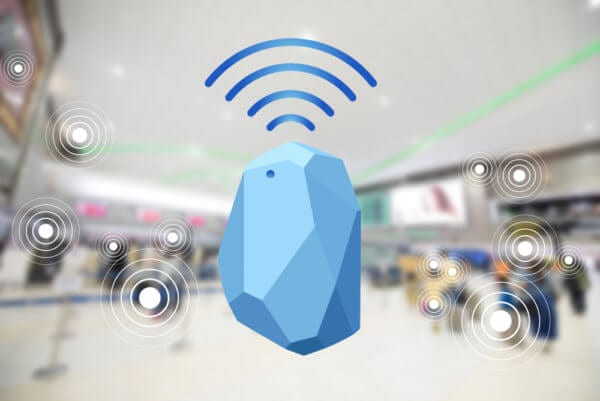
Once the app detects a beacon, it automatically triggers an audio guide that describes the nearby exhibit or provides directions within the museum. This technology ensures users can move freely and safely, receiving real-time information as they approach different artifacts.
User interface
Designed with accessibility in mind, the app's interface supports TalkBack functionality, allowing easy interaction for those with visual impairments. Additionally, users can switch between languages to receive information in their preferred language.
Conclusion
This app is dedicated to making cultural education accessible to all, regardless of visual ability. By leveraging advanced beacon technology combined with a user-friendly, multilingual interface, this app opens up a new world of exploration for blind and visually impaired museum visitors.